![taxtraders-black-1.png]](https://knowledge.taxtraders.co.nz/hs-fs/hubfs/taxtraders-black-1.png?height=28&name=taxtraders-black-1.png)
The payment history report allows you to track payments by your client into their Tax Traders account and how these were applied within the system.
Accessing the report
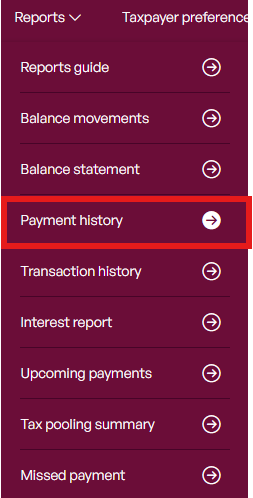
To access the Payment history, navigate to the taxpayer you want to see the report for and then select Reports > Payment history.
Using the report
Filter by the date range you want to see payments for - or if you want all payments, leave the date range blank.

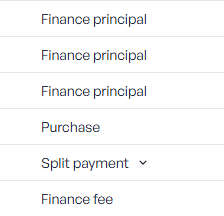
You will see the different types of transactions that payments made to Tax Traders have been applied to as below:
- Purchase: A purchase for tax (single payment, instalment or pay-as-you-go)
- Finance principal: The tax portion of an interest upfront order
- Finance fee: The interest portion of an interest upfront order
- Deposit: Funds deposited into the tax-pool
- Split payment: Payment has been applied to multiple different types. This is an expandable line, which will show the different type/s payment was applied against.
As with all other reports, the payment history can then be exported to either PDF or Excel.
💡TIP: Each line can be clicked on to see the transaction the payment specifically relates to. You can also download a PDF of the transaction on the page clicked through to.