![taxtraders-black-1.png]](https://knowledge.taxtraders.co.nz/hs-fs/hubfs/taxtraders-black-1.png?height=28&name=taxtraders-black-1.png)
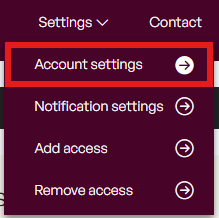
Once logged into your account, select Settings > Account settings:
Within the User settings section, select the edit button next to Two-factor authentication:

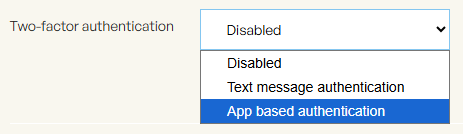
Choose the option to do so via text or app based authentication:
Follow the instructions on screen to activate the setting on your account. Note that any standard authenticator app can be used.